

Baselight v7 gives special attention to VFX- and detail-heavy productions with machine-learning tools, redesigned matte and channel workflows, and performance and pipeline improvements.
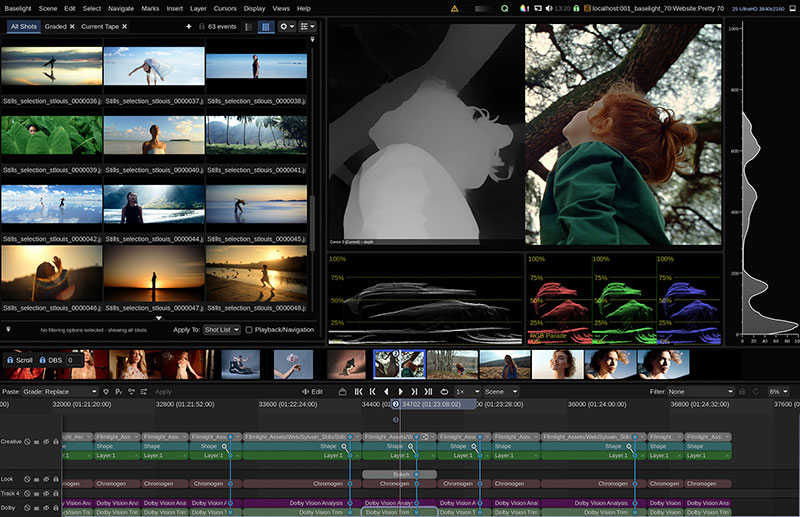
Depth map generator
Baselight v7, the new version of FilmLight’s colour grading and finishing software, gives special attention to VFX- and detail-heavy productions. New introductions include machine learning tools, redesigned matte and channel workflows, and a range of performance and pipeline improvements that help colourists work faster and more creatively.
Matte Workflows
As working with mattes for VFX or animation is now a critical part of a colourist’s job, many of FilmLight’s updates to Baselight v7 contribute to evolution of matte workflows. The Reference operator now has a faster, more accurate matte channel and cryptomatte picker. Any matte channel sources – including channels in the source media, external matte channels, depth maps and cryptomattes – can be viewed as a list or a thumbnail grid. Users can search, filter and select channels, and preview the matte or graded output.
Interactive matte selection is possible in the Image Viewer or on the SDI monitor. The Blackboard 2 control panel can be used to control selection, including selecting and combining upstream mattes. Matte Merge now supports up to 128 inputs, also showing a thumbnail display for each input, and further inputs can be added from the Blackboard panel or the Stack Manager. The matte operator grid can be customised as well to give quick access to common tools.
Baselight v7’s redesigned channel management means that, as further channels are added from different sources or generated, they will be applied to the set of channels that flows down through the stack. This update serves as a foundation for other features like the Depth Keyer (see below) and the updated Reference operator, and allows support for cryptomattes.
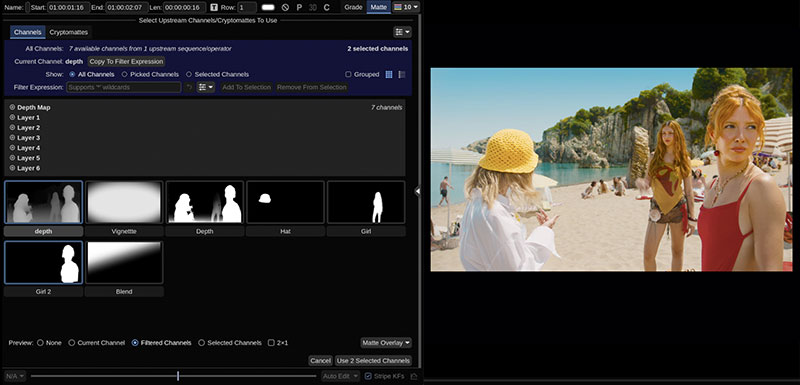
Channel selection
Matte Edge Refinement
Machine learning tools are very effective for generating mattes but often result in hard-edged mattes that are challenging to integrate as corrections into images. Matte Refiner and the Edge Filter operator have been updated to recover high frequency detail such as hair from the source image and produce more refined edges.
Both of these tools now use Segment Anything, one of the Flexi Effect plugins for machine learning models, to generate mattes using image segmentation. Users select the objects they want to isolate using a rectangle or by adding points to the image, and then use layers to organise the objects and control their visibility, via Blackboard integration.
Depth Maps and Atmospheric Effects
To extend users' options when working with atmospheric effects, the new Depth Map generator creates depth maps from live action shots. These maps are automatically assigned to a Depth channel and become available to any effect in the stack. The Depth Keyer may then be used to generate a matte based on these same depth maps. This process allows corrections guided by depth information directly from the associated image, and the colourist can simulate atmospheric effects using the new Haze operator, for example, or by creating realistic optical effects using the improved Bokeh tool.
Transition Operator
Flow Blend is one of the options in Baselight's new Transition operator, useful for removing jump cuts from a scene, for instance, or removing flaws like unwanted blinks that spoil preferred takes. Flow Blend can also match Avid Fluid Morph transitions, which blend one shot into another to conceal jump cuts. A further application for Flow Blend is repairing damaged frames by generating a full or partial replacement based on existing frames.
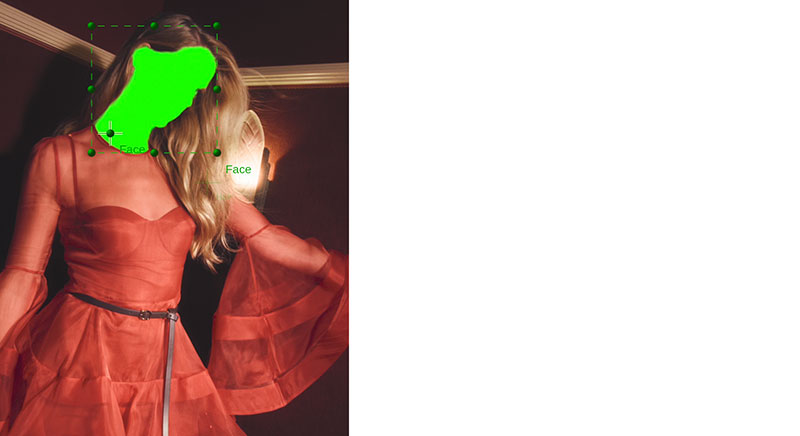
Segment anything
Other new options in the Transition operator for moving between two shots include Dissolve, Wipe, Transform and Dip to Colour. When conforming from suitable EDLs, SMPTE wipes are also supported.
When working with blue and green screen material, colourists can use Spill Suppression to remove the associated colour casts. It is also possible to either simulate or correct for chromatic aberration with a dedicated Chromatic Aberration operator. This feature gives control over hue, falloff, size and optical centre.
Transform Matching
Making sure that offline and conformed images match is an essential task but is often time consuming, especially when transform information is lost or inaccurate. Transform Matching first analyses a reference image and then matches the transform. Users may match single frames or entire shots, and replicate scaling, rotation and translation, creating keyframes as required.
The Track Roles feature is new and assigns a track containing an offline reference as ‘Offline’, which means it may be used as a reference or as a comparison.
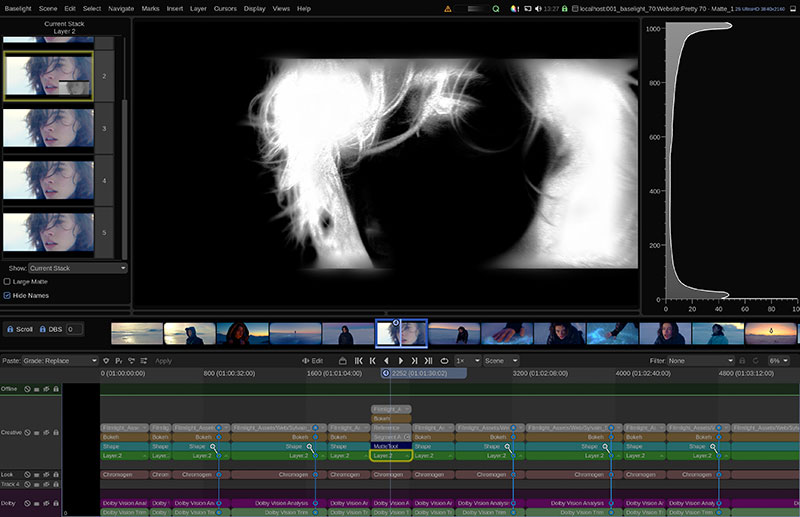
Matte Edge refinement
Cache Management
Baselight v7 makes major changes to the disk cache architecture, including a new ability to protect a scene’s display and strip cache files from being overwritten, a significant advantage when preparing for project review. The new Cache View will display an overview of active and protected scenes, as well as disk cache usage.
Users can now apply strip caching by default to operators that require a lot of processing, such as the Flexi Effects, and others. This option allows their outputs to be cached automatically when they are added to the timeline. The output of individual operators within a layer can also be strip cached.
Animation Graphs
Using the new animation graph in Baselight v7, users can now customise keyframe animation curves, making it possible to specify the interpolation behaviour for each keyframe individually. The animation curve for a selected parameter can be viewed and edited. This feature is available in the Transform, Perspective, Transition, Blend and Retime operators. www.filmlight.ltd.uk